PiStarDash app icon

PiStarDash

A native Android dashboard for your Pi-Star hotspot — live status, talk groups, net control, and a built-in scheduler, no browser required.

On-device only, no cloud Built for ham radio operators 15-day free trial

Pi-Star (pistar.uk) runs a great browser dashboard — but a browser isn't built for glancing at who's on frequency, running a net, or planning ahead. PiStarDash connects straight to your Pi-Star's own hotspot and turns that same live data into a fast, native app: automatic discovery, no typing in an IP address, no tab-switching mid-QSO.

Connect

Finds your Pi-Star automatically

Join your Pi-Star's hotspot Wi-Fi and PiStarDash finds it on its own — mDNS discovery with a bounded subnet scan as a fallback, and it remembers the last address that worked so reconnecting is instant. Once connected, a swipeable drawer reaches every screen — Dashboard, Talk Groups, Status, Friends, Schedule — from anywhere in the app.
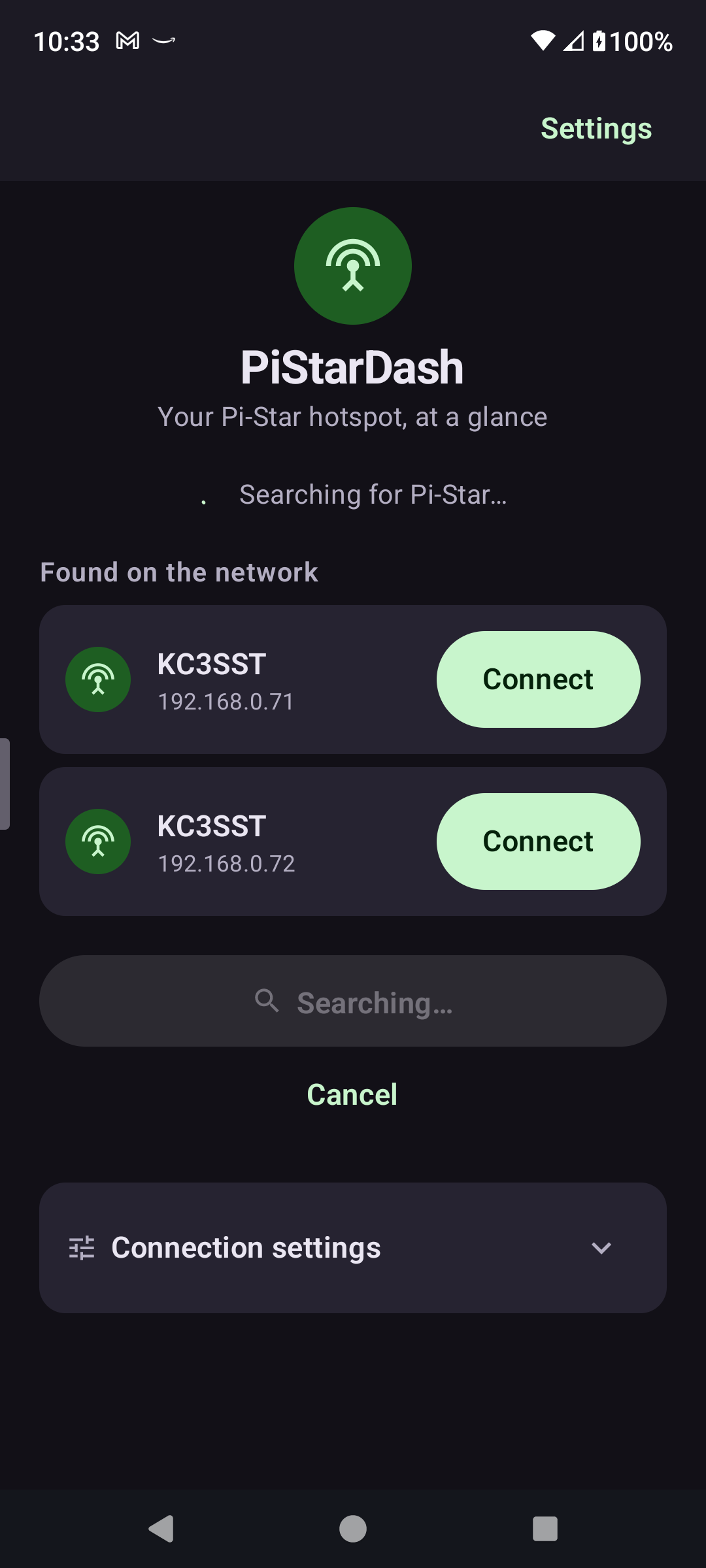
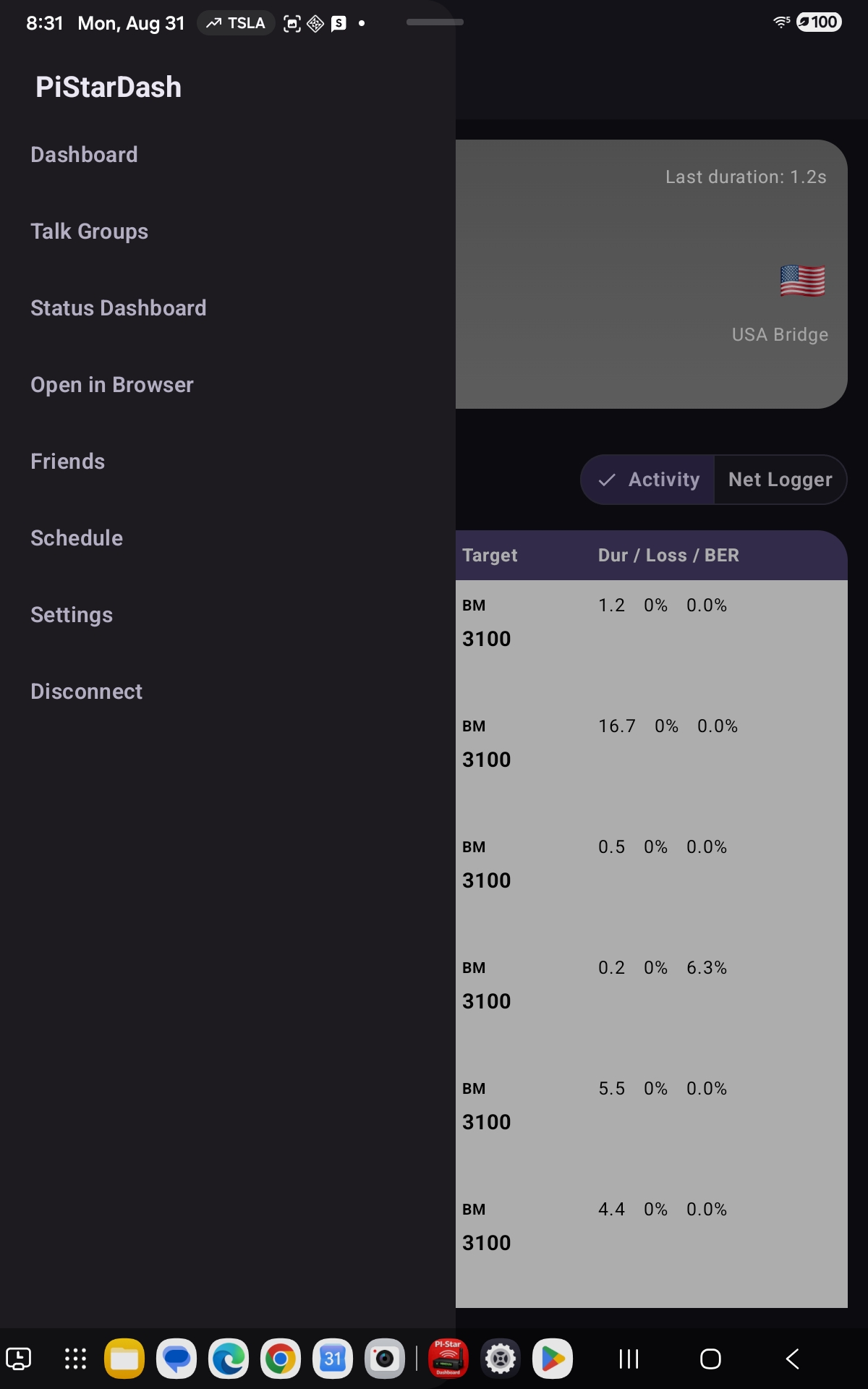
PiStarDash home screen discovering Pi-Star devices on the network PiStarDash's app-wide navigation drawer, open over the Net Logger screen
Dashboard

See who's talking, right now

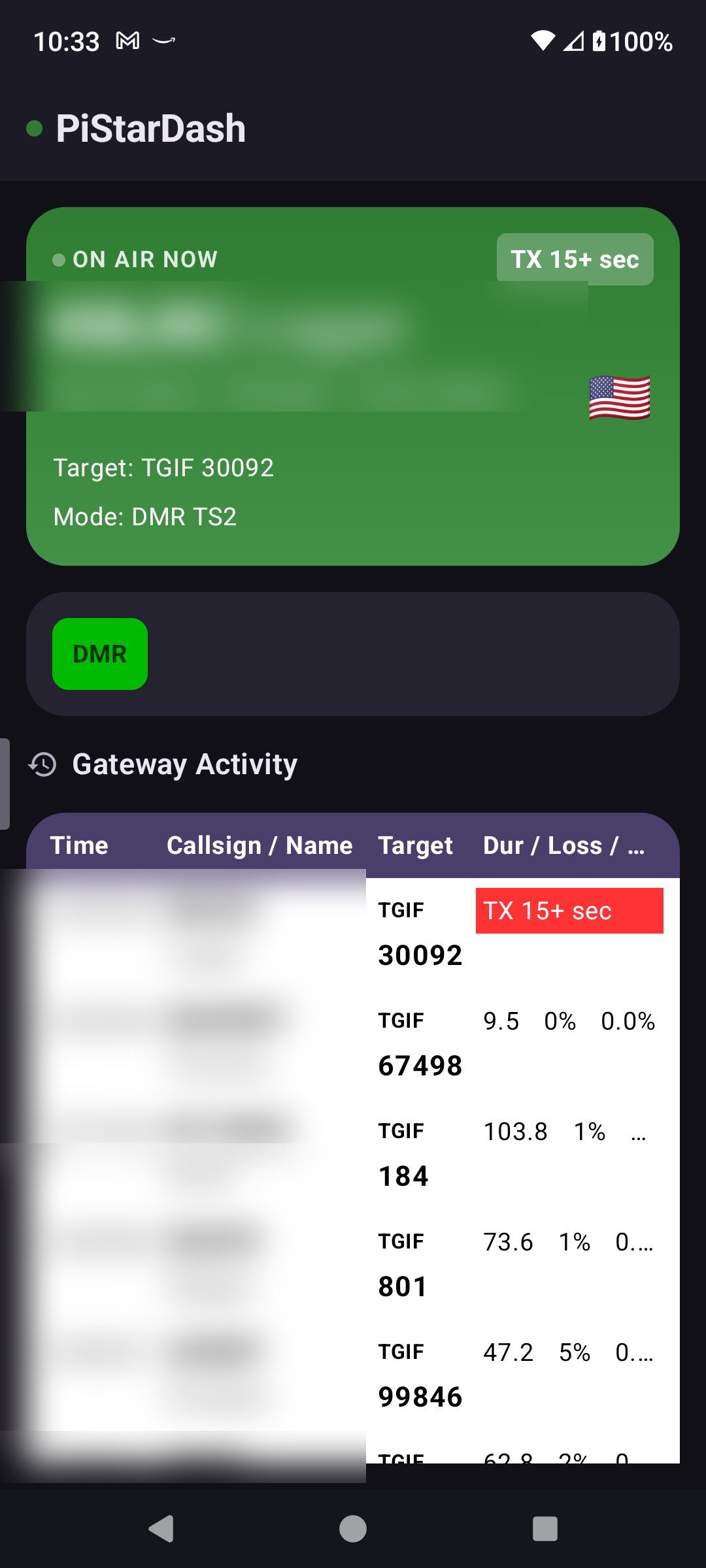
A live current-caller card — callsign, resolved name, city/state/country with a flag, mode, and target talkgroup — backed by a scrolling Gateway Activity log of everything heard recently. Tap any callsign anywhere in the app for a full detail popup, with an automatic RadioID.net lookup.

PiStarDash showing a live caller card and Gateway Activity log
Net Control

Run a net with a real check-in roster

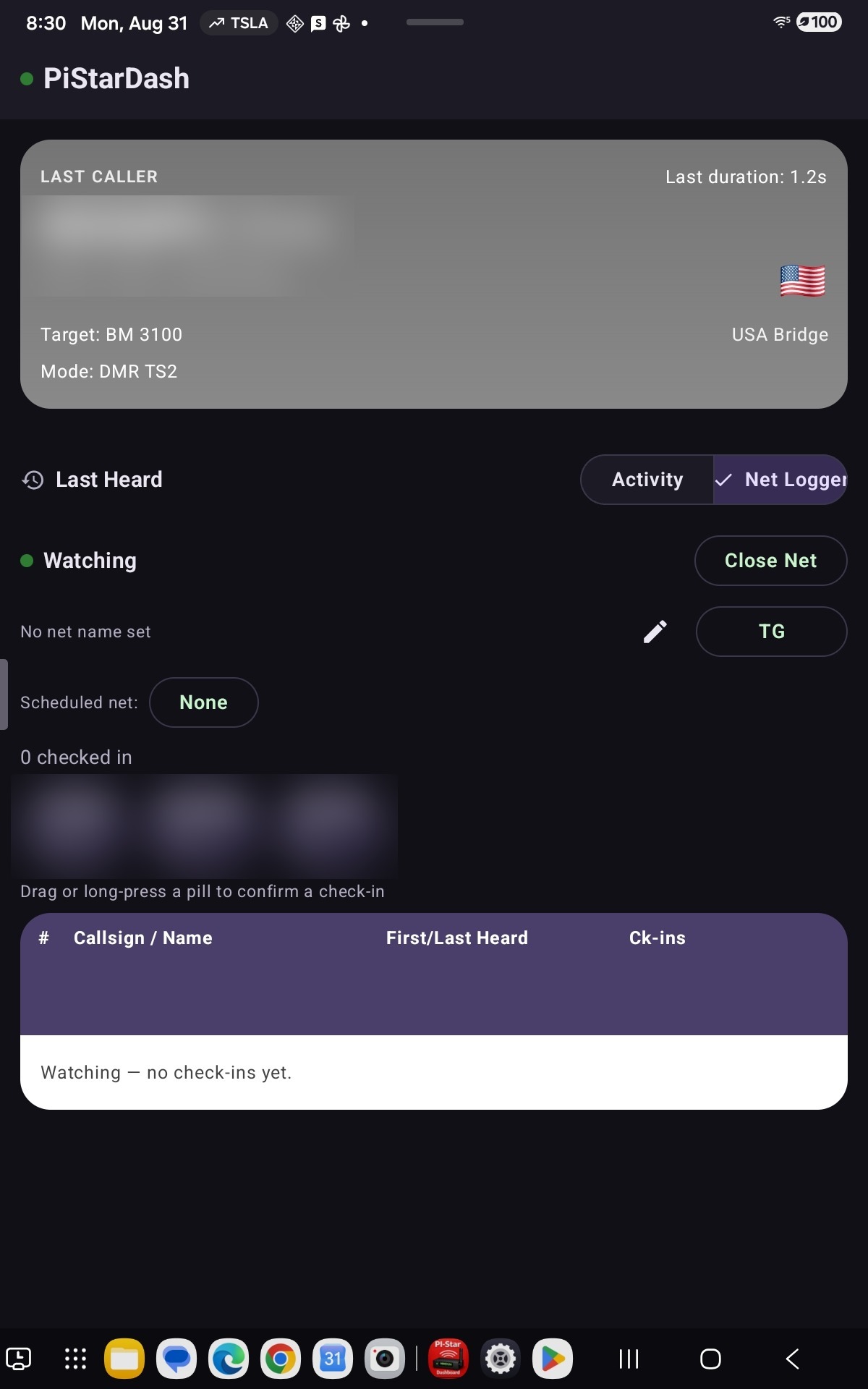
"Open Net" starts a session-based roster built for actually running a net, not just watching traffic go by: check-ins land in an auto-heard queue first, and a drag (or long-press) confirms them into a numbered roster — that confirmation step is the verification.

  • Drag-to-reorder the confirmed roster as check-ins come in
  • Mark a caller "lost" without losing their place in the log
  • Per-check-in suffixes (/M, /P, /QRP, district changes, and more)
  • Link the session to a Scheduled net so the roster ties back to it
  • One-tap share of the final roster as plain text when the net's done
PiStarDash dashboard with the Activity/Net Logger segmented toggle, on a tablet PiStarDash Net Logger watching a net, with an auto-heard queue and a Scheduled net link
Scheduler

Plan nets, events, and talkgroup changes ahead of time

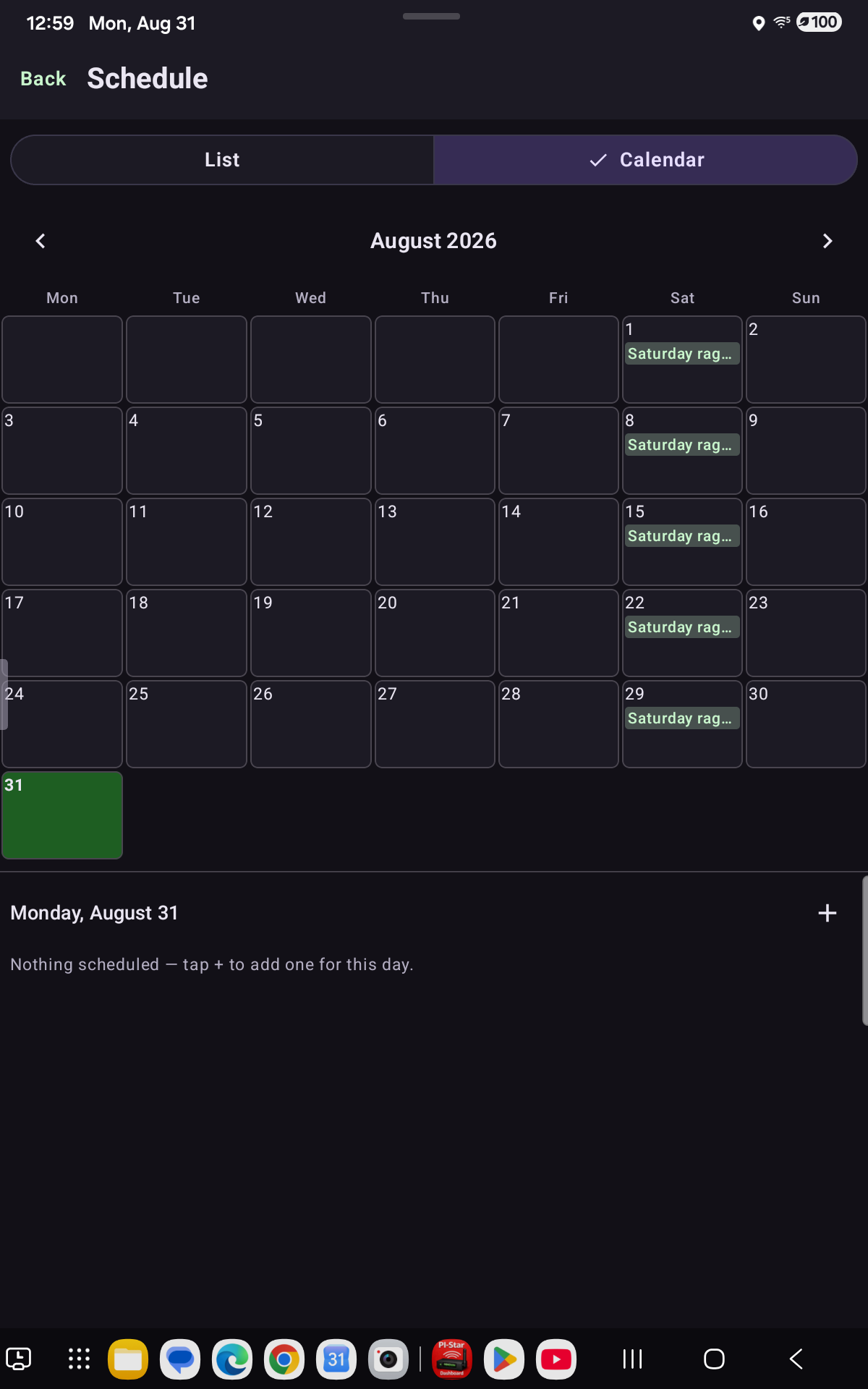
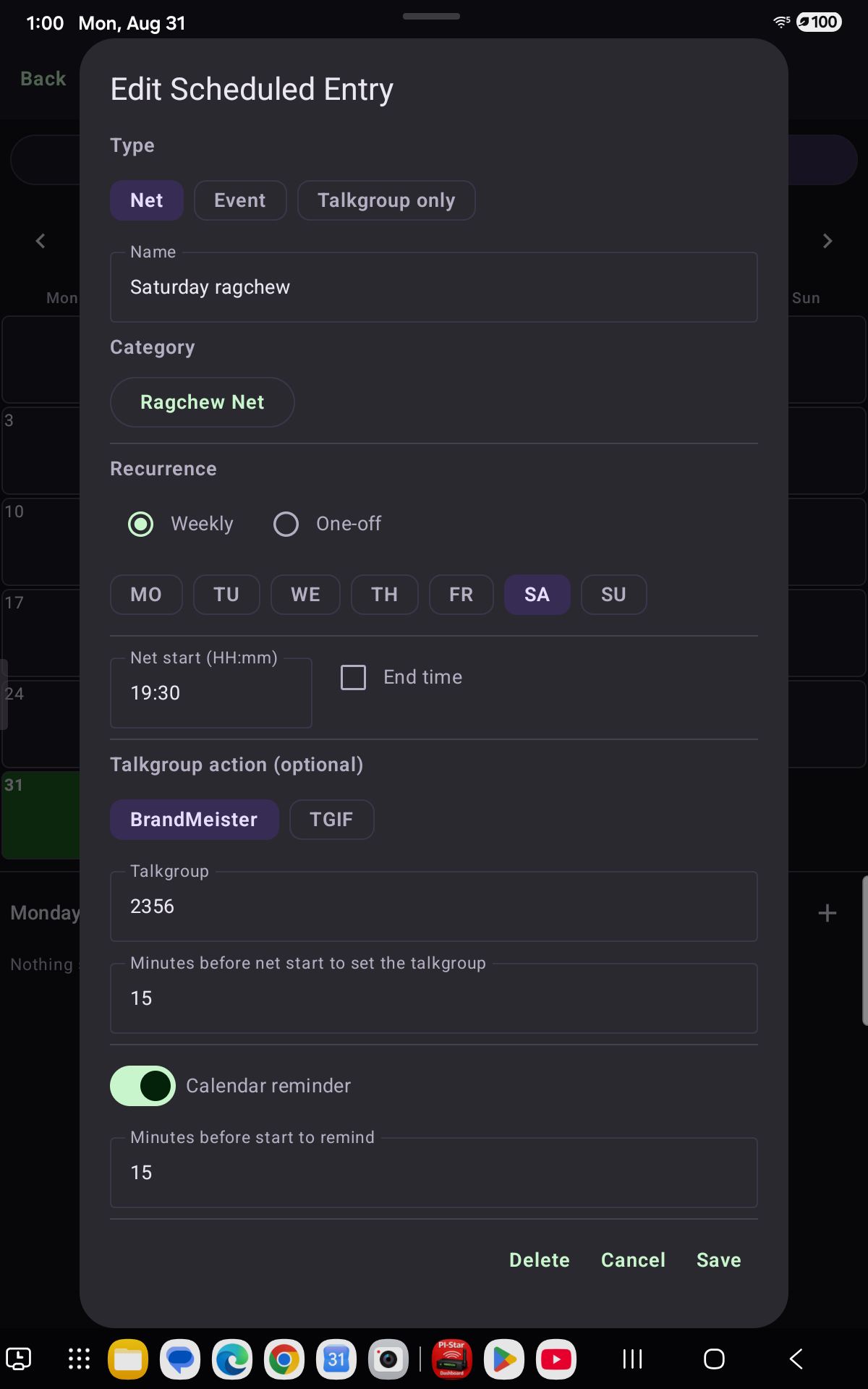
A real calendar, built in — recurring or one-off nets (with a category: Wellness, Ragchew, Technical, Emergency/ARES, Traffic, and more), plain reminders for things like a hamfest, or a bare "link this talkgroup, then unlink it later" schedule with no net attached at all.

  • Reminders land right in your phone's own calendar app
  • Talkgroups link automatically ahead of a net's start time, and revert after
  • Tap any day's square to see — or add — what's scheduled for it
PiStarDash Scheduler month view with a recurring net shown on its Saturdays PiStarDash Scheduler edit screen for a recurring net with a BrandMeister talkgroup action
Talk Groups

Manage BrandMeister and TGIF, from your phone

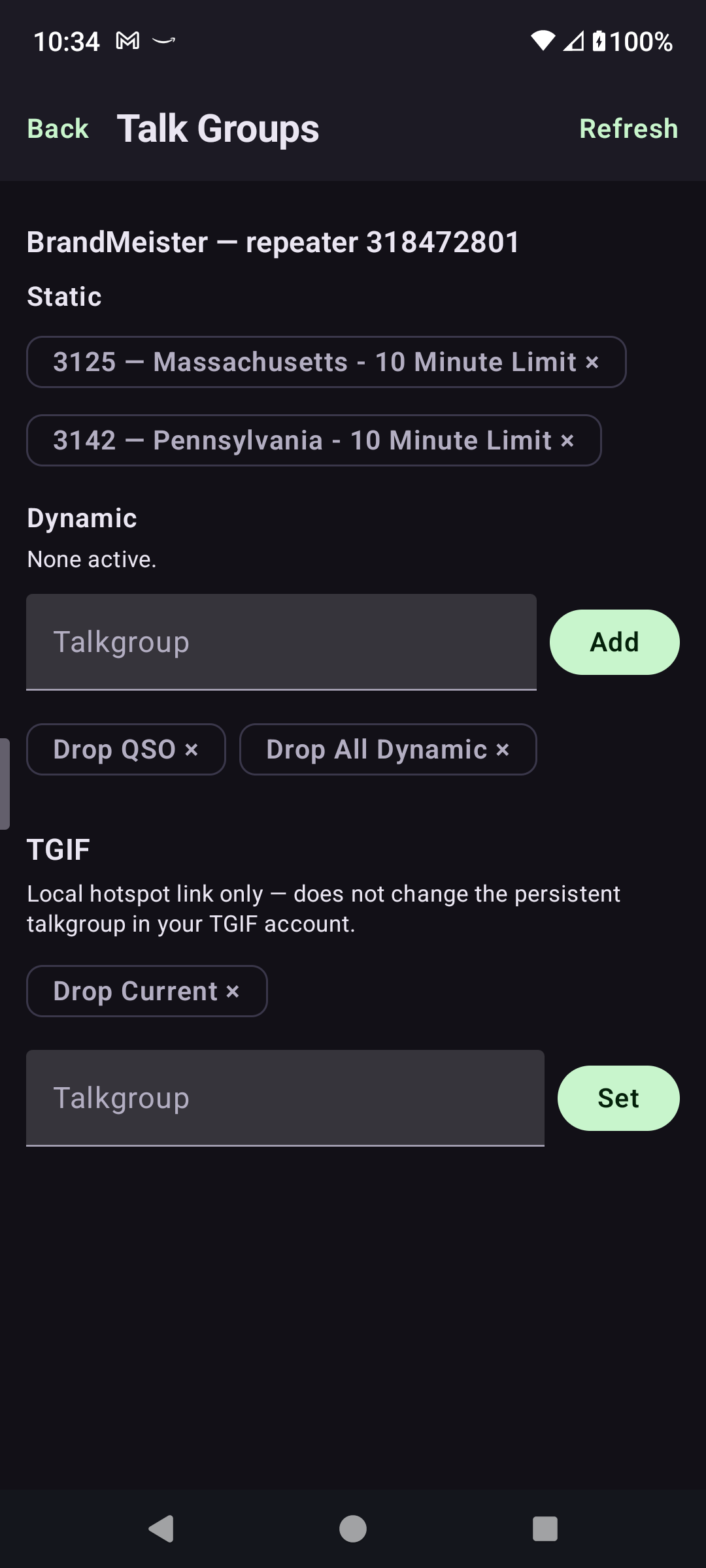
Add or drop BrandMeister static/dynamic talkgroups and set your TGIF hotspot link — all routed through your Pi-Star's own admin login, the same way its web dashboard does it, with live catalog lookups so you're picking a real talkgroup name, not guessing at a number.

PiStarDash Talk Groups screen managing BrandMeister and TGIF
Status

Hotspot health, at a glance

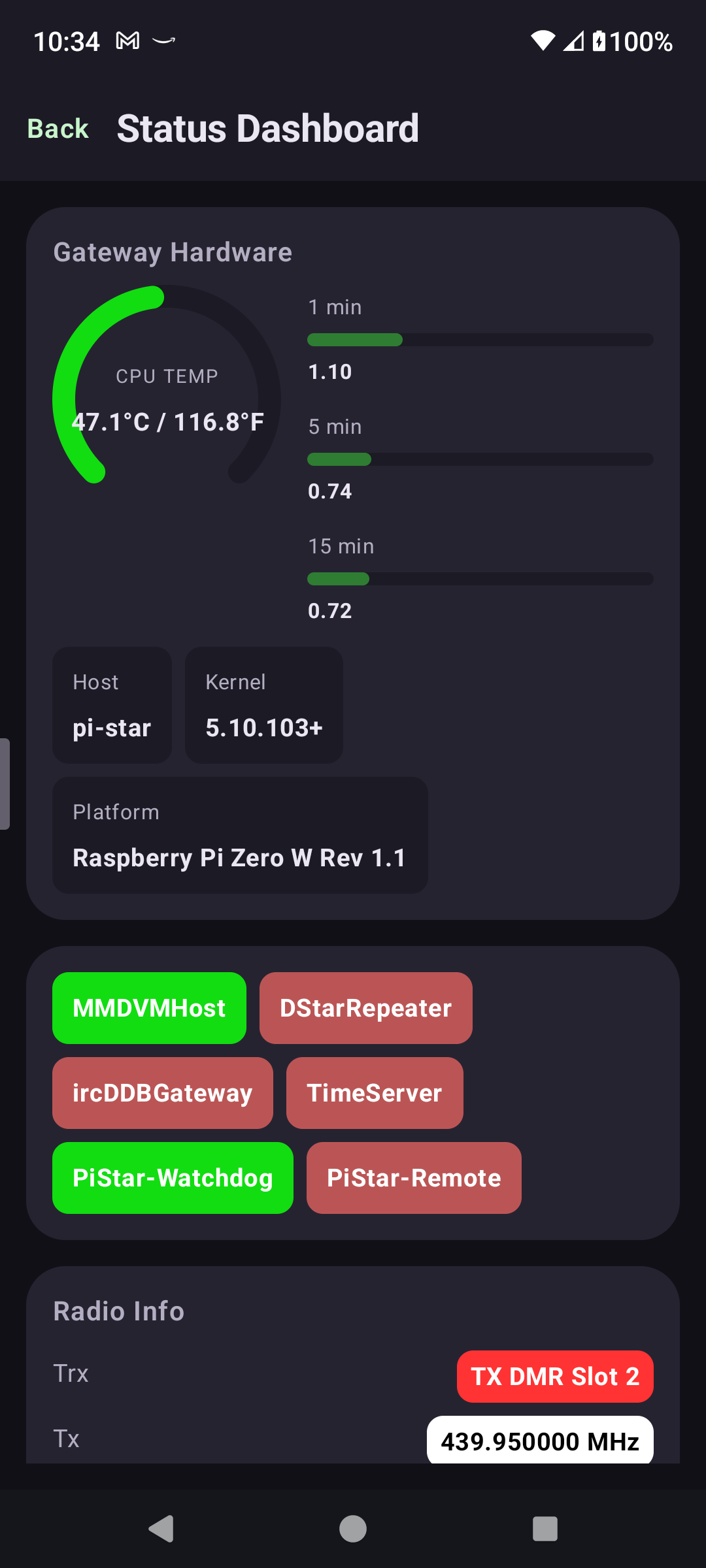
CPU load and temperature gauges, service status for every MMDVMHost-managed process, radio info, and DMR repeater/master details — everything Pi-Star's own admin page shows, without the admin page.

PiStarDash Status Dashboard with CPU temperature gauge and service status
Bigger screens

Built for tablets too, not just phones

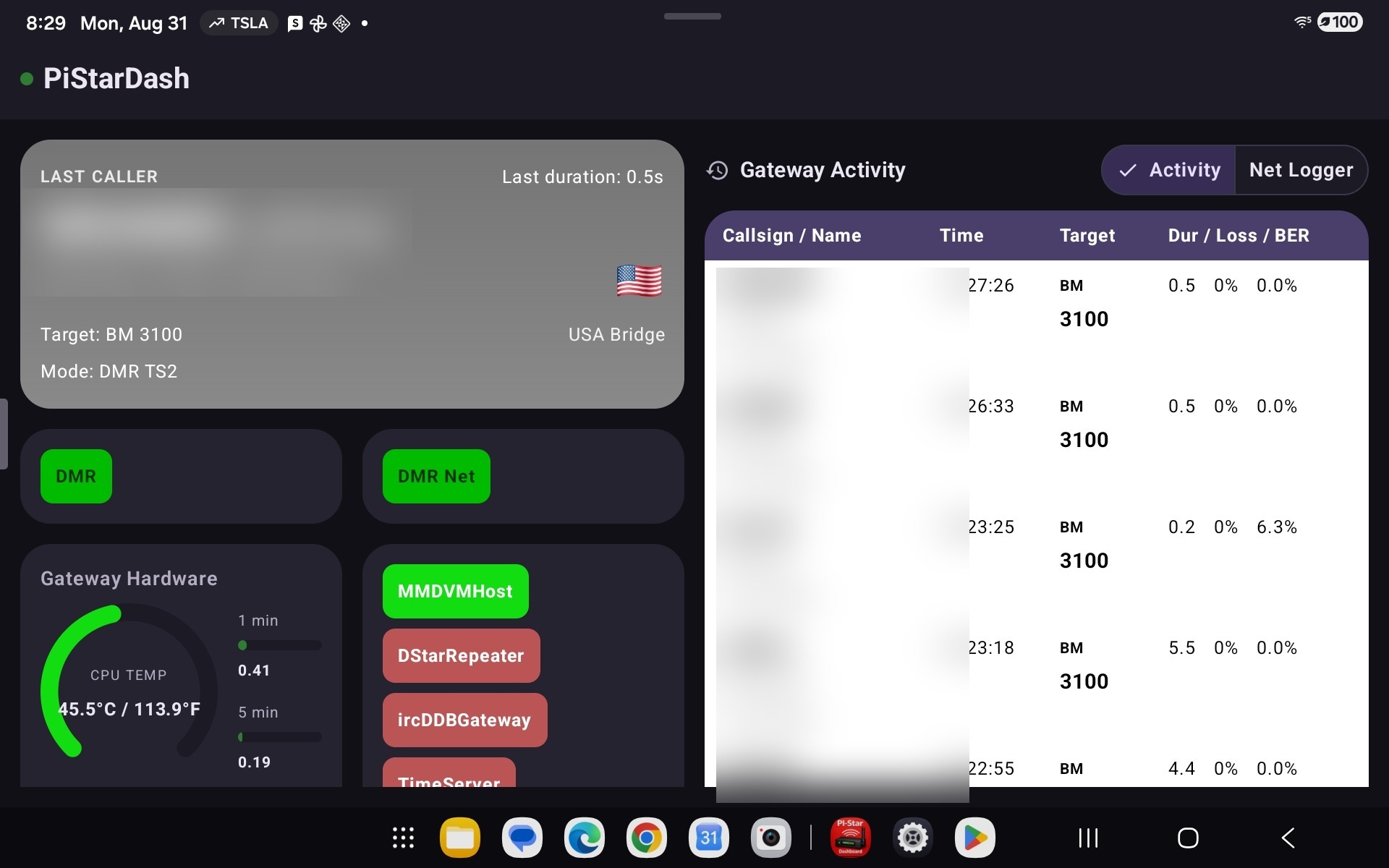
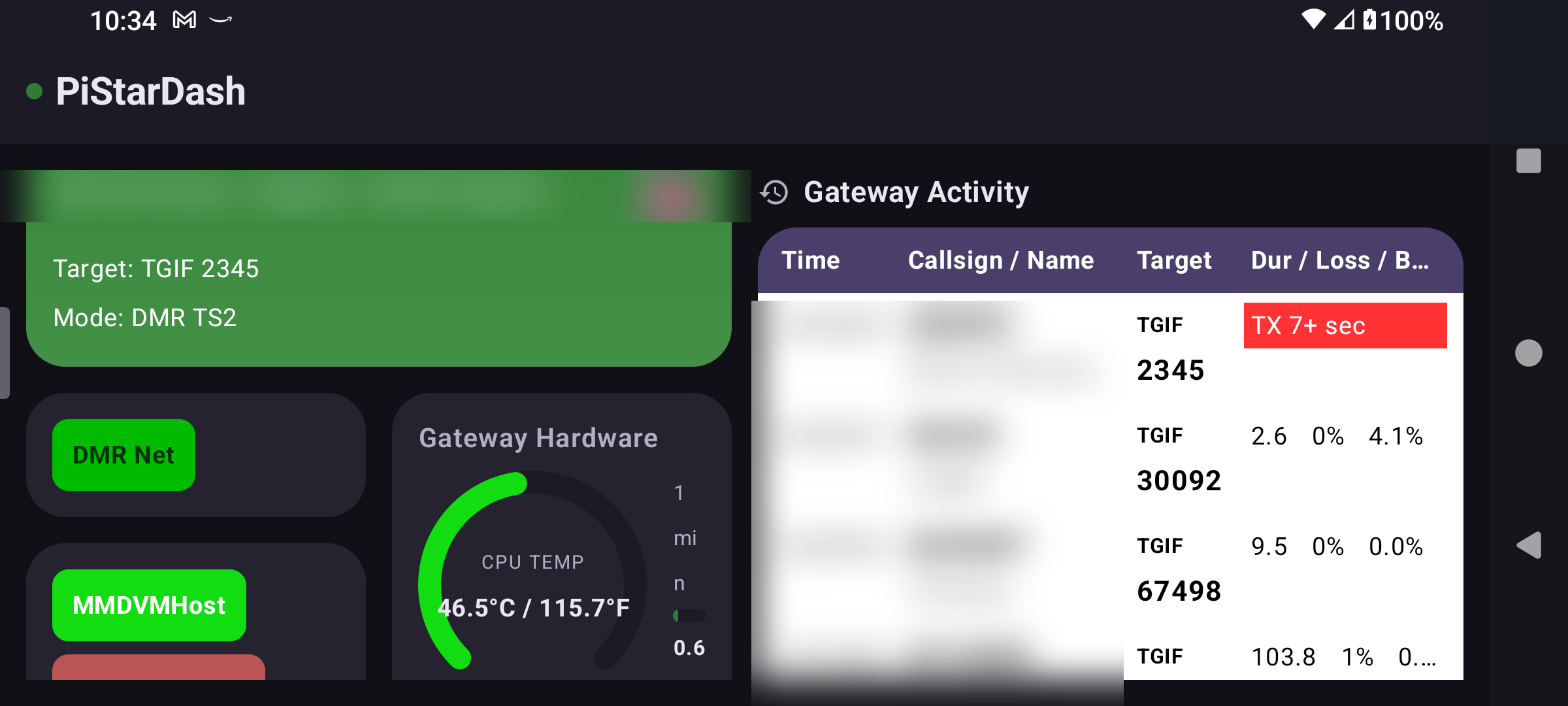
Landscape and larger screens get a real two-pane layout — the caller card and hardware status alongside a taller Gateway Activity log — instead of a stretched-out phone screen. Handy for a shack tablet left running next to the hotspot.

PiStarDash on a tablet in landscape, showing a two-pane layout

Get PiStarDash

Try it free for 15 days. After your trial, keep using it with a one-time lifetime purchase or a low-cost monthly subscription — whichever you prefer.

PiStarDash requires a Pi-Star hotspot (pistar.uk) — a physical Raspberry Pi-based device — to connect to. It's a companion display for hardware you already own.

Get it on Google Play · Privacy Policy